
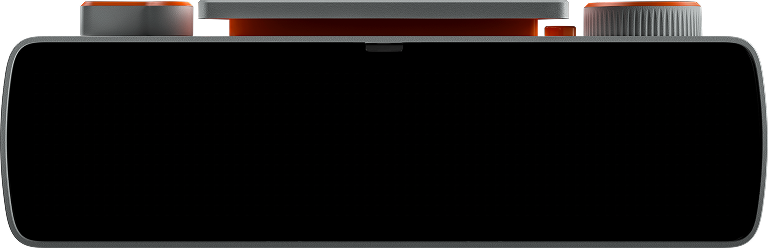

Text Display
Show some text. That's it!
How to run
This app is a single Python file that talks directly to the BUSY Bar HTTP API: no libraries, no setup. Connect your bar via USB and run:
python app.py
Over USB the bar is always at 10.0.4.20. On Wi-Fi, pass the bar's IP
with --host <address>.
No bar at hand? Run the
BUSY Bar Emulator
and point the app at it: python app.py --host 127.0.0.1:8080.
To keep it running without a terminal open, install it with busybar-manager, which handles the virtualenv, autostart and scheduling, and lets you switch between apps from a web dashboard.
Source code
app.py
#!/usr/bin/env python3
"""Text Display: show any text in the biggest font, centered, scrolling if it is too long.

    python app.py --text "Hello"                       # BUSY Bar over USB (always 10.0.4.20)
    python app.py --text "Hello" --color "#FF0000"     # custom color (alpha defaults to FF)
    python app.py --text "Hello" --host 127.0.0.1:8080 # emulator or a Wi-Fi bar
"""
import argparse
import json
import re
import sys
import time
import urllib.error
import urllib.request

APP = "text-display"

# The matrix is 72x16. extra_large glyphs are 16px tall, so the text is
# vertically centered by anchoring it at y = 8 with a mid_* / center align.
WIDTH = 72
MID_Y = 8

DEFAULT_COLOR = "#519ABAFF"

# Scroll settings (see openapi.yaml, TextElement): scroll_rate is in pixels
# per MINUTE, the delays are milliseconds. 360 px/min is ~6 px/sec, a
# comfortable reading pace. Scrolling only happens when the text is wider
# than the element's `width`, so short text just sits still.
SCROLL_RATE = 1200
SCROLL_START_DELAY = 800
SCROLL_REPEAT_DELAY = 2000

# extra_large advance widths for printable ASCII (0x20..0x7E), one character
# per glyph as chr(48 + advance_px) — i.e. "4" is 4px. Taken from the firmware
# font atlas, so "does this fit in 72px?" is exact rather than guessed.
ADVANCES = "436:9;:3557734368588888888335757<88887788578798888887899887464858888877885787988888878998876368"
# (` has no glyph in the atlas and is listed with the common 8px advance.)


# ---------------------------------------------------------------------------
# BUSY Bar HTTP API — self-contained, stdlib only.
# Over USB the bar is always at 10.0.4.20; --host targets a Wi-Fi bar or the
# emulator. Full API docs are served by the device: http://10.0.4.20/docs
# ---------------------------------------------------------------------------

# argparse so busybar-manager can auto-discover options by parsing --help.
def _args():
    p = argparse.ArgumentParser(description="Display text on BUSY Bar in extra_large font")
    p.add_argument("--host", default="10.0.4.20")
    p.add_argument("--text", required=True, help="text to display (printable ASCII)")
    p.add_argument("--color", default=DEFAULT_COLOR,
                   help="text color as #RRGGBB or #RRGGBBAA (default %(default)s)")
    return p.parse_args()


def parse_color(value):
    """Accept #RRGGBB or #RRGGBBAA; the API always wants #RRGGBBAA, so a
    missing alpha channel becomes FF (fully opaque)."""
    if re.fullmatch(r"#[0-9a-fA-F]{6}", value):
        return (value + "FF").upper()
    if re.fullmatch(r"#[0-9a-fA-F]{8}", value):
        return value.upper()
    sys.exit(f"error: --color must be #RRGGBB or #RRGGBBAA, got {value!r}")


_ARGS = _args()
BASE = "http://" + _ARGS.host.replace("http://", "").rstrip("/")
COLOR = parse_color(_ARGS.color)


def draw(elements, **extra):
    body = {"application_name": APP, "elements": elements, **extra}
    req = urllib.request.Request(BASE + "/api/display/draw",
                                 data=json.dumps(body).encode(), method="POST",
                                 headers={"Content-Type": "application/json"})
    with urllib.request.urlopen(req, timeout=5):
        pass


def text(txt, x=0, y=0, font="normal", color="#FFFFFFFF", **kw):
    # Every element needs an id, and colors are #RRGGBBAA (API 25.0.0+).
    return {"id": "0", "type": "text", "text": str(txt), "x": x, "y": y, "font": font, "color": color, **kw}


# ---------------------------------------------------------------------------
# App
# ---------------------------------------------------------------------------

def text_width(txt):
    """Rendered width in pixels of txt in the extra_large font."""
    return sum(ord(ADVANCES[ord(c) - 32]) - 48 for c in txt)


def element_for(txt):
    """Centered when the text fits the 72px matrix, otherwise a full-width
    label that the device scrolls for us."""
    if text_width(txt) <= WIDTH:
        # align anchors the element box, so no exact text measuring is needed.
        return text(txt, x=WIDTH // 2, y=MID_Y, font="extra_large", color=COLOR, align="center")
    return text(txt, x=0, y=MID_Y, font="extra_large", color=COLOR, align="mid_left",
                width=WIDTH, scroll_rate=SCROLL_RATE,
                scroll_start_delay=SCROLL_START_DELAY,
                scroll_repeat_delay=SCROLL_REPEAT_DELAY)


def tick(element):
    """Returns True once the element is on screen. Redrawing restarts the
    scroll animation, so the loop below only calls this until it succeeds."""
    try:
        draw([element])
        return True
    except urllib.error.HTTPError as e:
        # A higher-priority app owns the screen: keep retrying.
        if e.code != 409:
            raise
        print("display busy (409), retrying...")
        return False


if __name__ == "__main__":
    if not re.fullmatch(r"[\x20-\x7E]+", _ARGS.text):
        sys.exit("error: --text must be non-empty printable ASCII (the fonts are bitmap ASCII)")

    element = element_for(_ARGS.text)
    scrolling = "scroll_rate" in element
    print(f"text-display → {BASE}  ({'scrolling' if scrolling else 'centered'}, Ctrl-C to stop)")
    try:
        # The element has no timeout, so it stays up; the loop is here to keep
        # the app alive and to retry while the display is owned by another app.
        while not tick(element):
            time.sleep(2.0)
        while True:
            time.sleep(1.0)
    except KeyboardInterrupt:
        print("\nstopped.")
    except urllib.error.HTTPError as e:
        sys.exit(f"error: HTTP {e.code} — {e.read().decode('utf-8', 'ignore')}")
    except urllib.error.URLError as e:
        sys.exit(f"error: cannot reach {BASE} — {e.reason}")